
Samsung launches dozens of models every year across its Galaxy A and Galaxy S ranges. Both series run the same Android operating system and One UI interface, and often share similar designs. The purchase price sets these two families apart, but it doesn’t tell the whole story once you factor in software support, repair costs and resale value after several years of use.
Real cost over five years: Galaxy A vs. Galaxy S
The price tag in store says little about the total cost of a smartphone. A Galaxy A bought at a modest price can end up costing more than a Galaxy S if its battery fails early, software support ends before the third year or its resale value drops to almost nothing.
Samsung now promises up to seven generations of Android upgrades and seven years of security updates for the Galaxy S24 series and later models. This changes the equation: a recent Galaxy S could theoretically remain functional and secure throughout a typical five-to-seven-year period of use.
To understand the difference between Galaxy A and S in this respect, compare the support promise for the specific model rather than assuming that all Galaxy A phones receive support for only a short time.
Resale depreciation also widens the gap. Galaxy S phones retain a larger share of their original value after two or three years, thanks to their premium image and demand on the second-hand market. A mid-range Galaxy A loses most of its value in the first year, increasing its real cost relative to how long you use it.

Repairability and battery life: what EU regulations change
European repairability rules are now a practical buying consideration for anyone planning to keep their phone for several years. They set requirements for the availability of spare parts and the replacement of certain components, including the battery.
However, repairability doesn’t necessarily mean users can replace parts easily themselves. The regulations distinguish between replacement by consumers and by general repairers, with different requirements, particularly regarding battery durability. A Galaxy S Ultra with a glued glass back isn’t repaired in the same way as a Galaxy A with a plastic casing, even if both meet the same legal requirements.
When choosing between a Galaxy A and a Galaxy S, it’s best to check the repair terms for the specific model rather than assume how easy it is to repair based on its range. The cost of replacing a battery at an authorized Samsung service center varies by model, and this expense often comes up between the second and fourth year—right when you’re deciding whether to keep or replace your phone.
Camera performance: beyond the megapixels on Galaxy A and Galaxy S
Spec sheets list resolution figures: some Galaxy A models have sensors with as many megapixels as those in a previous-generation Galaxy S. This convergence in raw specifications masks real-world differences.
Camera performance depends on how you use it, not just on sensor resolution. A useful comparison should distinguish between three specific situations:
- Photos of distant subjects, where the Galaxy S Ultra’s optical telephoto lens makes a visible difference compared with the digital zoom on Galaxy A models
- Fast-moving scenes (children, pets, sports), where the Galaxy S’s processing speed and software stabilization produce sharper images
- Night shots, where the larger physical size of the main sensor and the Galaxy S’s advanced image processing capture more light
A recent Galaxy A takes perfectly good photos in daylight and favorable lighting. The gap widens as conditions become more challenging. If photography is a priority, Galaxy S models justify their higher price in this respect.
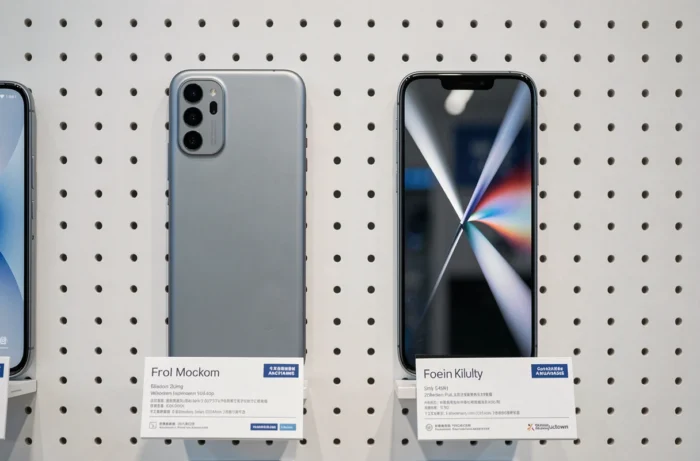
Screen and processor: where the price difference between Galaxy A and Galaxy S comes from
Galaxy S phones feature high-refresh-rate AMOLED displays and processors built for demanding tasks such as 3D gaming, video editing and intensive multitasking. Galaxy A models also use AMOLED displays in the mid-range, but often have lower resolutions and refresh rates.
The processor determines how smoothly a phone runs over time, not just when you buy it. A Galaxy A handles web browsing, social media and streaming smoothly for its first few years. But successive Android and app updates make the system more demanding, and a mid-range processor reaches its limits sooner than a flagship chip.
Network connectivity follows the same pattern. Galaxy S phones include the latest Wi-Fi and cellular standards from launch, while Galaxy A models adopt these technologies one or two generations later. For everyday use, the difference is marginal. It becomes noticeable if you use your smartphone as a mobile work tool or network hotspot.
Galaxy A or Galaxy S: which Samsung range suits you?
The choice isn’t just about your immediate budget. A Galaxy A suits users focused on communication, social media and content consumption, with no particular demands for photography or gaming. Its low purchase price makes it a good choice as a secondary phone, a first smartphone or a short-term replacement.
A Galaxy S makes sense if you plan to keep your phone for more than three years, need to take photos in challenging conditions or rely on processing power every day. The seven years of updates promised for recent models can offset the initial investment if you actually keep the phone for that long.
The real question isn’t so much “A or S?” as “How long do I plan to keep this phone, and what will I use it for?” Replacing a Galaxy A every two years can end up costing as much as—or more than—keeping a Galaxy S for five years, without delivering the same camera experience or software longevity.