
You may have noticed a folder named “ESD” at the root of your C: drive, often empty or containing a few obscure files. This directory intrigues many Windows 10 users, who hesitate between deleting it and leaving it in place. The ESD folder and the .esd files it may contain play a specific role in the system’s operation, far beyond just the initial installation.
Windows 10 ESD File: An Unknown System Compression Format
ESD stands for Electronic Software Download. It is a compressed file format that Microsoft uses to distribute system images. Specifically, a .esd file contains a compact version of Windows, lighter than its WIM (Windows Imaging Format) equivalent.
The main difference lies in the compression rate. A .esd file is significantly more compact than a .wim file, which speeds up downloads during upgrades. Windows Update relies on this format to retrieve the necessary data for installing a new version of the system.
The ESD folder located at the root of the C: drive serves as a temporary directory to store these files during a Windows 10 upgrade. Once the operation is complete, the folder may remain in place, sometimes empty. As several users have pointed out on specialized forums, the esd folder windows 10 on Journal du Webmaster details this mechanism and the cases where this directory appears after a major upgrade.
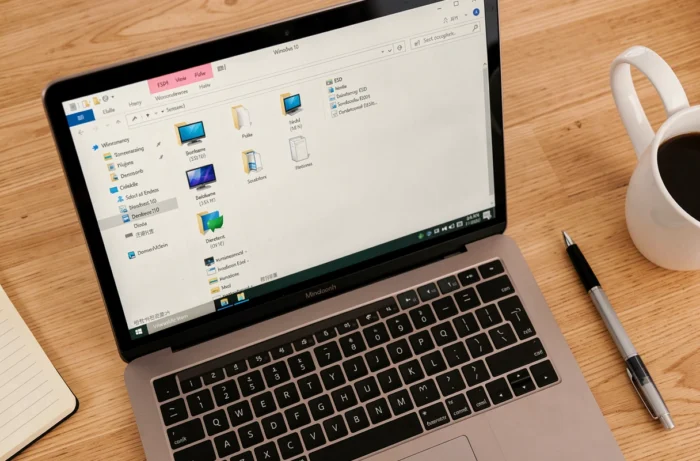
Role of the ESD Folder in Windows System Repair
The utility of .esd files does not stop at installation. They serve as a resource for advanced system image repair via the DISM (Deployment Image Servicing and Management) tool.
Have you ever run the command DISM /Online /Cleanup-Image /RestoreHealth and received an error message like “The source files could not be found”? This problem occurs when Windows Update fails to provide the necessary files for repair. In this case, an install.esd file extracted from an official ISO can serve as a replacement source.
The syntax looks like this: Source:ESD:D:Sourcesinstall.esd followed by the index and the /LimitAccess parameter. This command forces DISM to use the local .esd file instead of relying on Windows Update. This use case transforms a simple installation file into a troubleshooting tool.
When to Use an .esd File to Repair Windows
- When the RestoreHealth command fails with a source files not found error, the .esd file from an official Windows 10 ISO can bypass the issue
- On a computer without a stable internet connection, pointing DISM to a local .esd avoids any dependency on online downloads
- In a professional environment, keeping an up-to-date .esd on a network share speeds up maintenance for multiple workstations
Can the ESD Folder Be Deleted Safely?
The question keeps coming up on forums: is the ESD folder at the root of C: deletable? The answer depends on its content and the timing.
An empty ESD folder can be deleted without consequence. Windows will automatically recreate it during the next major upgrade. If the folder contains files, caution is more warranted.
An install.esd file present in this directory may correspond to a pending upgrade. Deleting this file before the installation is complete risks blocking the process. After a successful upgrade, these files become unnecessary and take up disk space for no reason.
Check Before Deleting
Open the folder and check the modification date of the files. If it dates back several weeks and your system is functioning normally, deletion will not pose a problem. If in doubt, the built-in Disk Cleanup tool in Windows offers a secure way to remove temporary installation files.

ESD to ISO Conversion and Bypassing Windows 11 Prerequisites
.esd files are also used in less conventional scenarios. Third-party tools allow you to convert a .esd file into a complete ISO image, which provides the option to create a custom installation media.
This process has gained particular importance with Windows 11. Replacing the install.esd file on a Windows 10 USB drive with that from a Windows 11 ISO allows you to use the more permissive installation interface of Windows 10 while deploying the Windows 11 system. This “hybrid media” method, documented on the Microsoft Community Hub, serves to bypass the hardware compatibility checks (TPM, CPU, Secure Boot) imposed by the standard Windows 11 installer.
This type of manipulation is reserved for advanced users. It involves mastering the structure of installation files and understanding the consequences of deploying on unsupported hardware.
Key Takeaways About ESD Files
The .esd format is a discreet cog in the update and distribution system of Windows. The ESD folder at the root of C: is merely a temporary container, usually emptied after an upgrade. Deleting it when empty poses no risk. The .esd files themselves have a dual life: a source of compressed installation and a system repair tool via DISM when Windows Update fails.
Before deleting anything, just ensure that no upgrade is in progress. For the rest, the ESD folder is part of the normal operation of Windows 10 and does not warrant concern or obsessive cleaning.